
Unreal Engine AI Assistant for Blueprints and C++
Dola AI is an agent for Unreal Engine 5.7. Describe a change and it plans, edits your Blueprints, C++ and levels in the open editor, checks the result in Play In Editor, and holds every change for your review.
See it work in Unreal Engine 5.7Free download for Windows and Linux · Runs on Claude · Plans from $10/month
Works with Unreal Engine 5.7 (Epic's build) on Windows and Linux. Other engine versions coming soon. Check compatibility

See it work
Real runs in Unreal Engine 5.7
Screenshots from one recorded session. Nothing mocked.
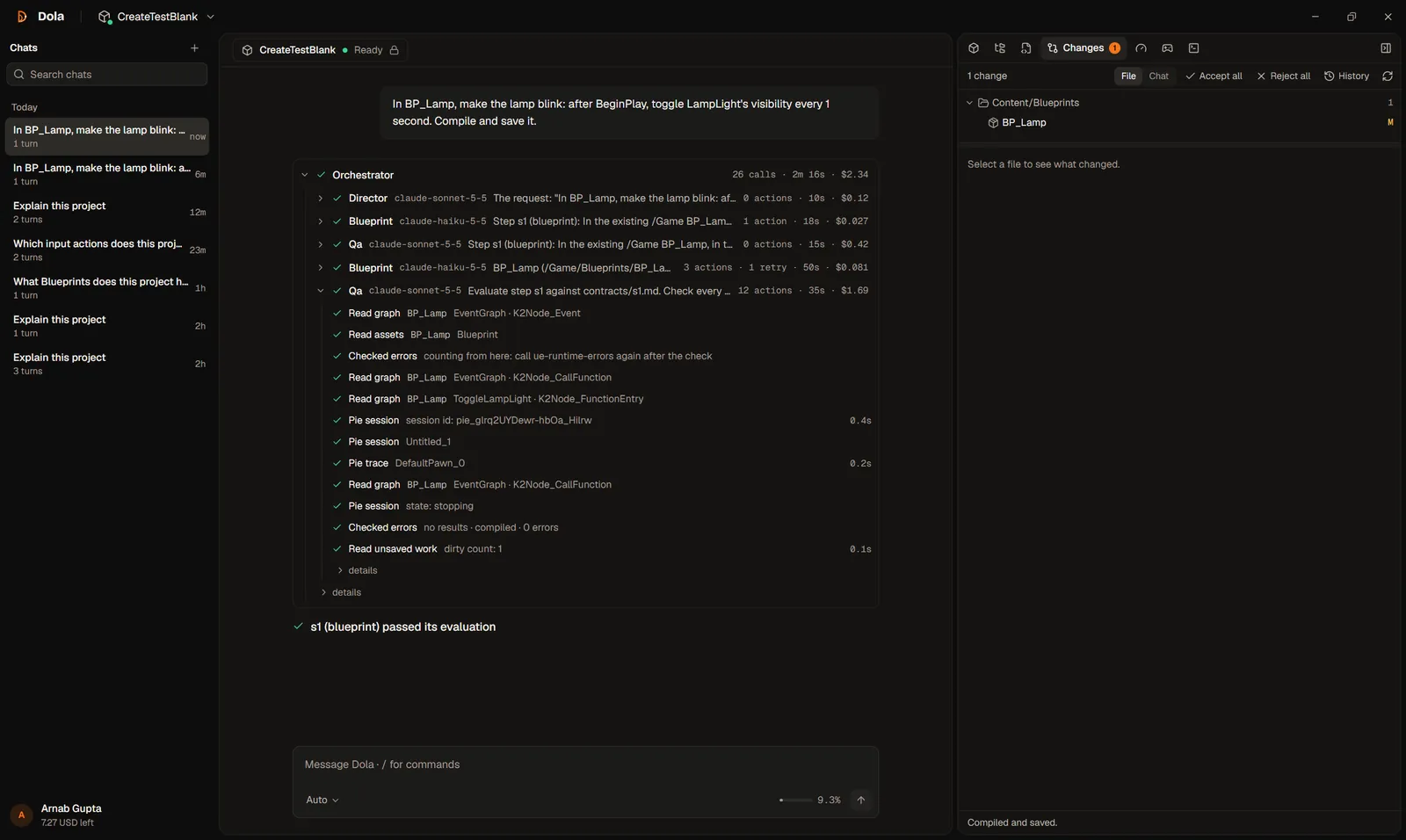
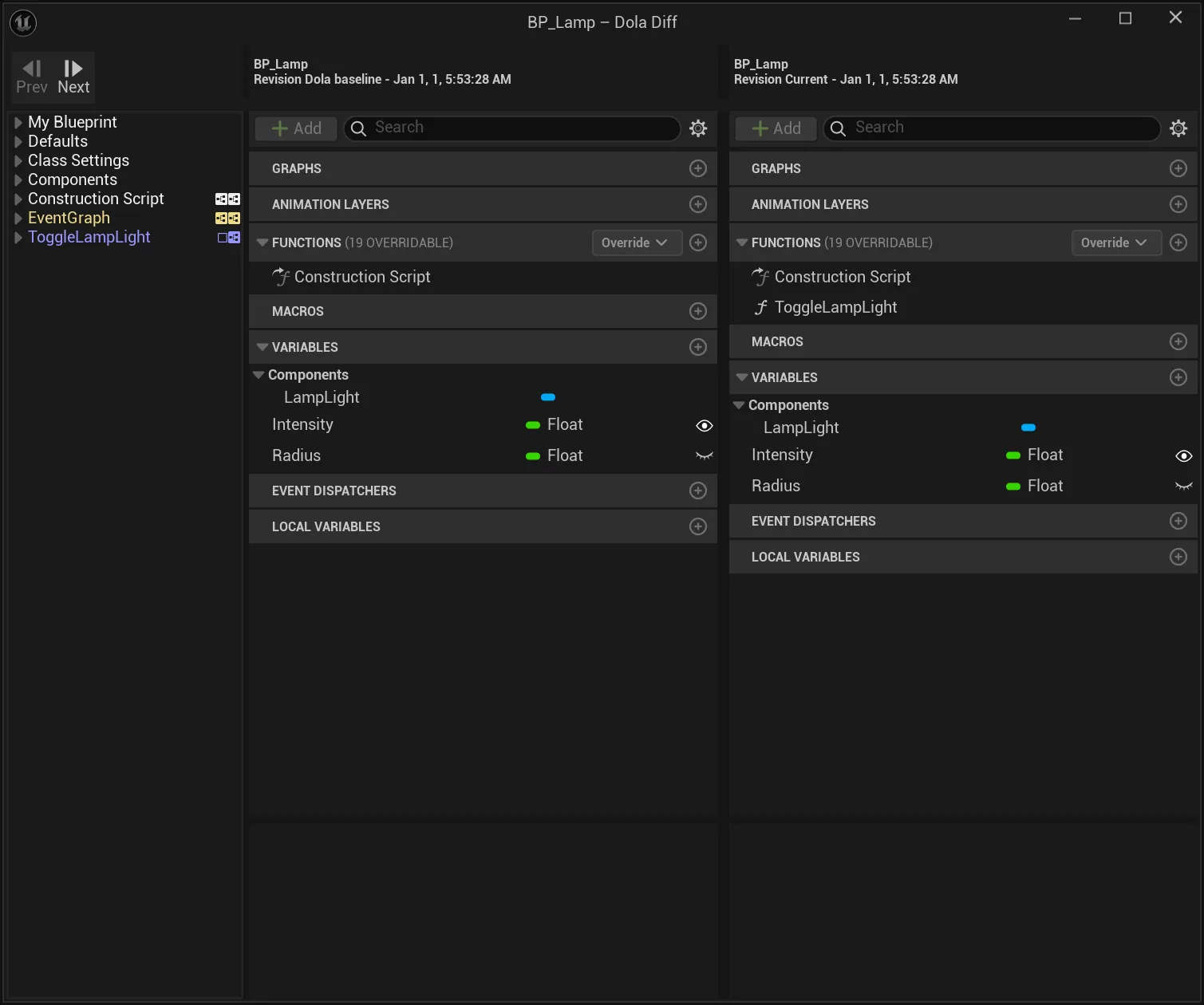
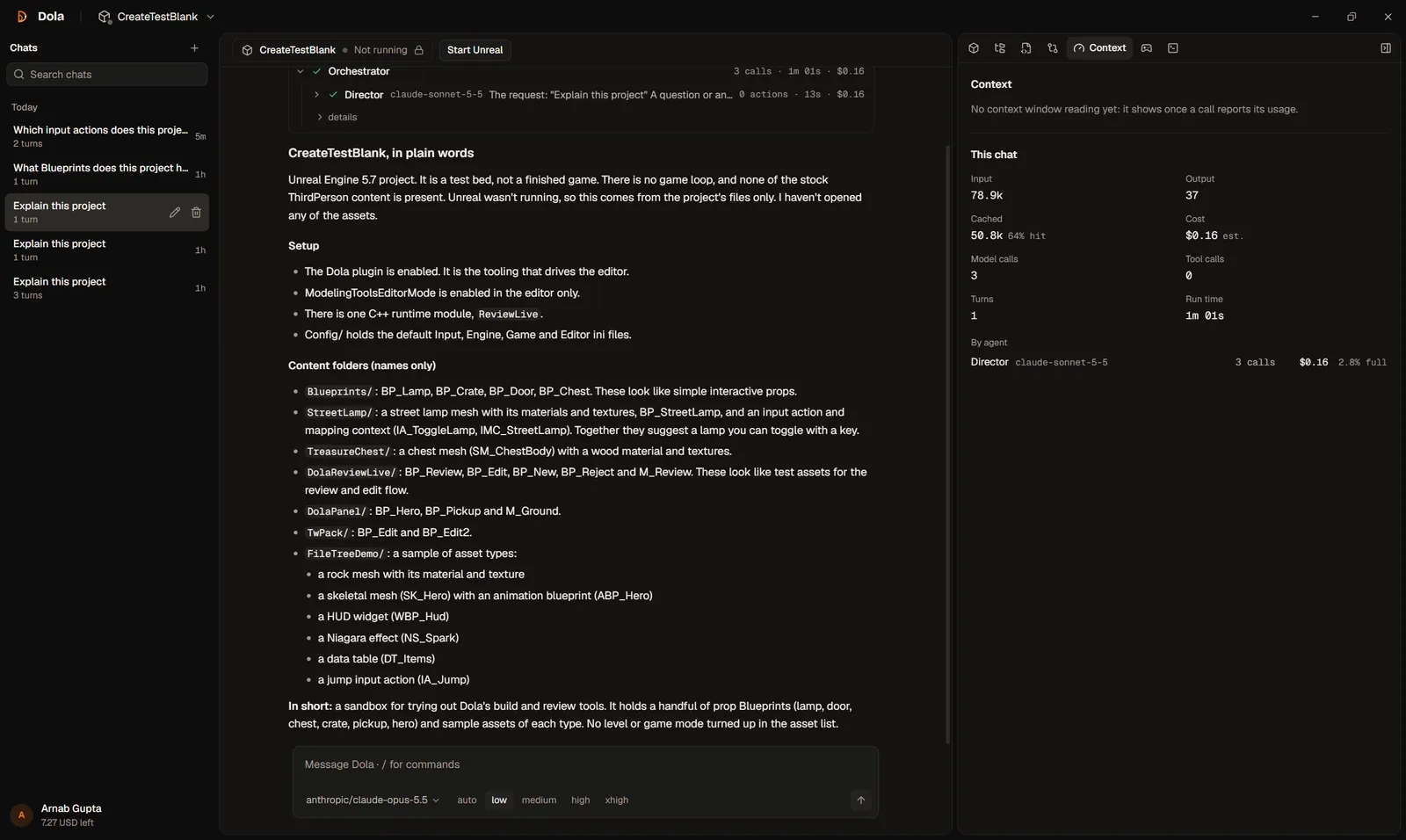


Watch
Dola in 45 seconds
Capabilities
Unreal Engine AI assistant for game dev workflows
Specialist agents read your project and drive the editor. Start with the AI coding assistant for Unreal Engine overview.
Blueprint editing
Adds nodes, wires pins, sets variables, then compiles and saves.
C++ from real engine symbols
Looks up engine classes and functions before it writes UCLASS and UFUNCTION code.
Editor actions
Spawns actors, applies materials, builds UMG widgets and runs Play In Editor.
Answers without Unreal open
Ask about your project any time: Dola reads the files on disk and says so.
Checks its own work
A QA agent reads the result and plays it in PIE before it reports DONE.
Specialist agents on Claude
Claude Sonnet plans and reviews; Claude Haiku builds. You see the cost of every run.
How it works
From prompt to a reviewed change
- 1
Connect your project
Install the Dola plugin for Unreal Engine 5.7 and open your project.
- 2
Describe the change
Ask in plain language: a mechanic, a fix, a menu, a question.
- 3
Review and keep it
Agents build and check it in the editor, then you accept or reject.
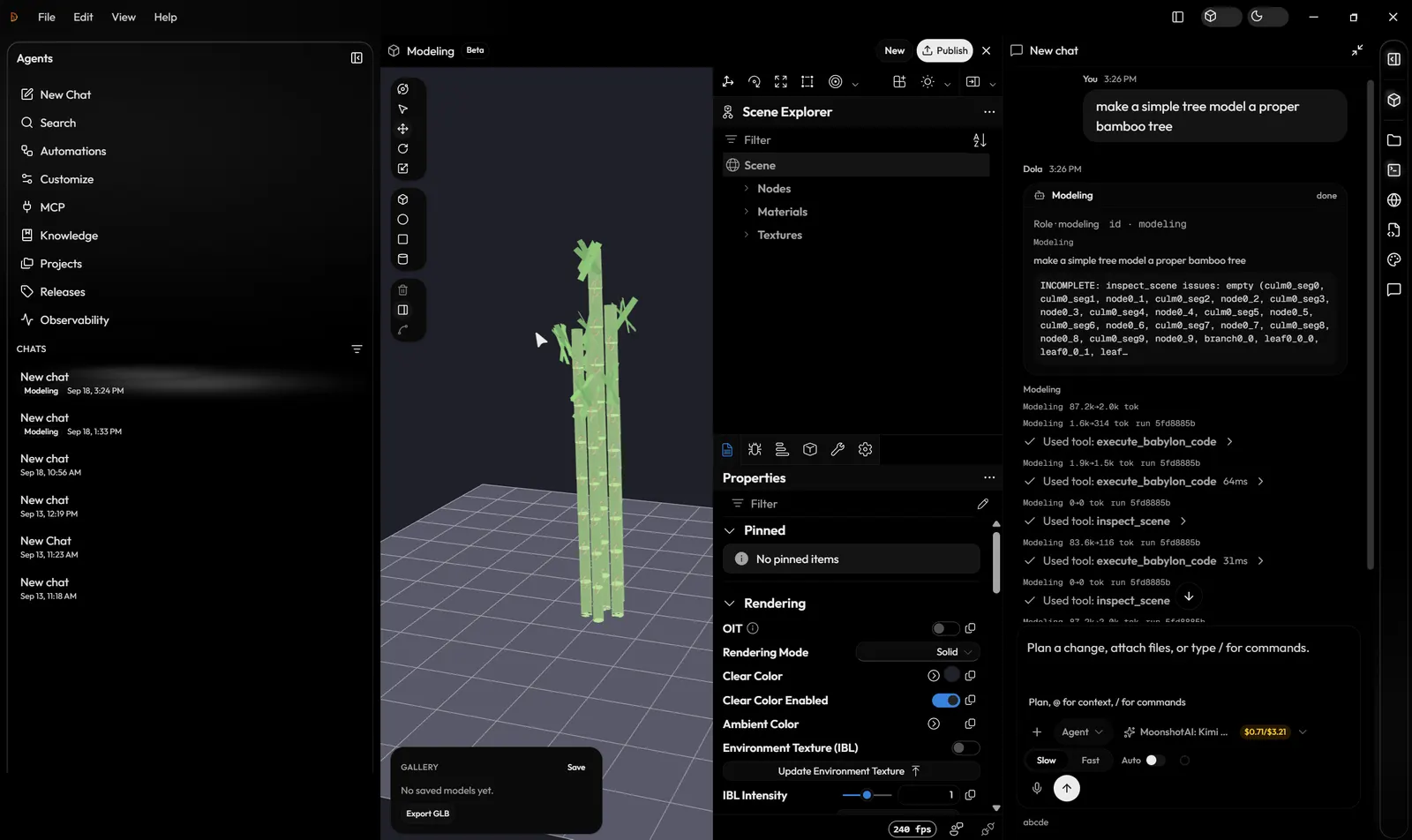
Modeling mode
Chat to a live 3D mesh
Switch to Modeling in the desktop app. A specialist writes Babylon.js, the in-app viewport updates, you inspect named parts, then export a GLB. This is a separate studio, not the Unreal viewport.
Pricing
Simple monthly plans
The app is a free download. Each plan includes the same amount in AI credits every month.
Indie
$10/mo
$10 of AI credits each month
Pro
$50/mo
$50 of AI credits each month
Pro+
$100/mo
$100 of AI credits each month
Max
$200/mo
$200 of AI credits each month
FAQ
Unreal Engine AI questions
What is Dola?
Dola AI (DolaAI, dolaai.pro) is a local-first Unreal Engine assistant: the Dola desktop app (Windows and Linux) plus an Unreal Editor plugin for Blueprints and C++. Modeling is a separate Babylon studio, not the Unreal viewport.
Is Dola AI the same as other apps called Dola?
No. Other apps, services, and research projects also use the name Dola. Dola AI at dolaai.pro is a separate product for Unreal Engine: a desktop app and an Editor plugin, with its own accounts.
Can I log in to or delete another Dola app’s account here?
No. A Dola AI account at dolaai.pro only covers the Unreal Engine assistant. Logins, subscriptions, and account deletion for other apps named Dola are handled by those apps’ own support.
Who is Dola for?
Unreal Engine and game developers who want an AI assistant that works in the editor stack they already use — not a generic chat window disconnected from the project.
What does local-first mean?
Project indexes, chat history, and editor state are designed to stay on your computer. Sign-in and Claude model requests go through dolaai.pro. Dola does not store your chats in the cloud account database.
How do I get started?
Create a free account, download the Dola app for Windows or Linux from your account’s Releases page, sign in, and connect it to Unreal Editor with the Dola plugin.
Is the Dola app free?
The account and the app download are free. Agent runs use Claude through your Dola account and spend AI credits: monthly plans (Indie $10, Pro $50, Pro+ $100, Max $200) include the same amount in credits each month, and the app shows the cost of every run. See dolaai.pro/plans.
What is Dola chat?
Chat is how you work in the Dola desktop app. You describe a task in one chat, and specialist agents for Blueprints, C++, materials, levels, and more act on the Unreal project you have open through a local editor bridge. It is not a general-purpose chat app.
Where can I read about privacy?
The privacy policy is at https://dolaai.pro/privacy. After you sign in, you can delete your account yourself from Profile (see dolaai.pro/docs/troubleshooting). Questions go to support@dolaai.pro.
Read the privacy policy · AI coding assistant for Unreal Engine · Dola docs
Is Modeling mode the Unreal viewport?
No. Modeling mode is a Babylon.js studio inside the desktop app: chat writes mesh code, a live viewport updates, you inspect parts, then export GLB. Game-dev mode is the Unreal plugin path for Blueprints and C++.
Get the desktop AI teammate for Unreal Engine
Dola on the side, Unreal in the centre, every change yours to keep.
Read the install guide